
Strip EXIF, GPS, and device info
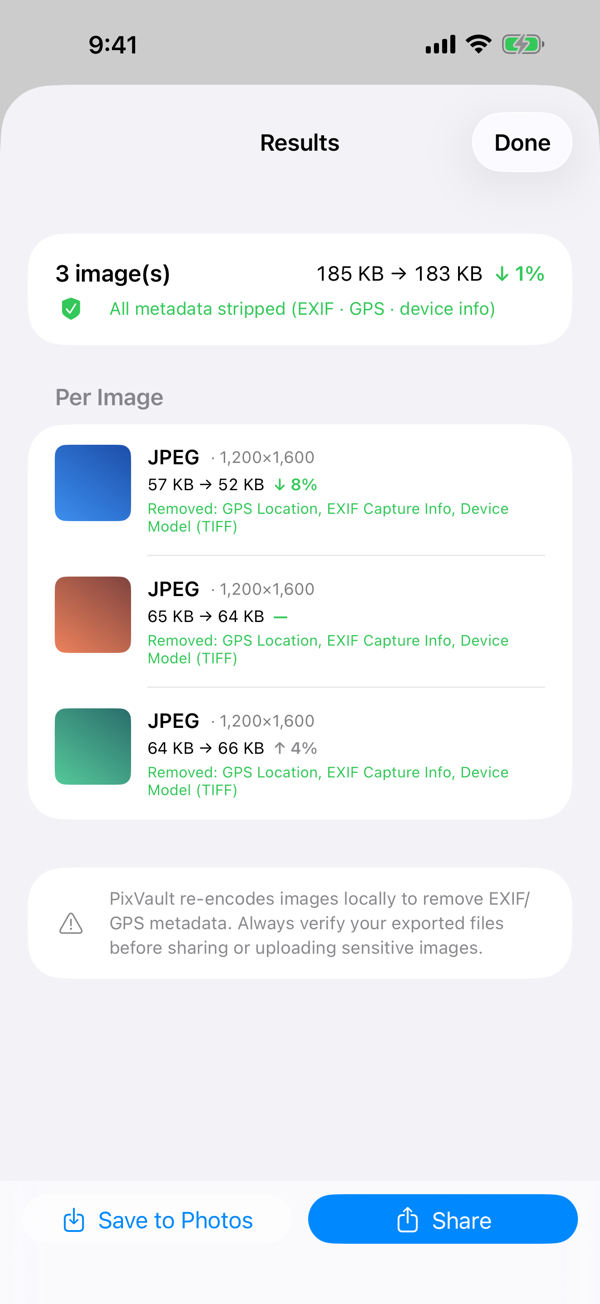
Remove location, camera and lens model, original timestamps, and other hidden metadata before sharing. A clear before-and-after report shows exactly what was removed.
iOS · iPadOS · macOS App
Convert, compress, and strip hidden privacy data from your photos — 100% on your device. EXIF, GPS, camera and lens info are removed before you share. No uploads, no account, no tracking.
Features
Built around one promise: your photos never leave the device. Everything else follows from that.
Remove location, camera and lens model, original timestamps, and other hidden metadata before sharing. A clear before-and-after report shows exactly what was removed.
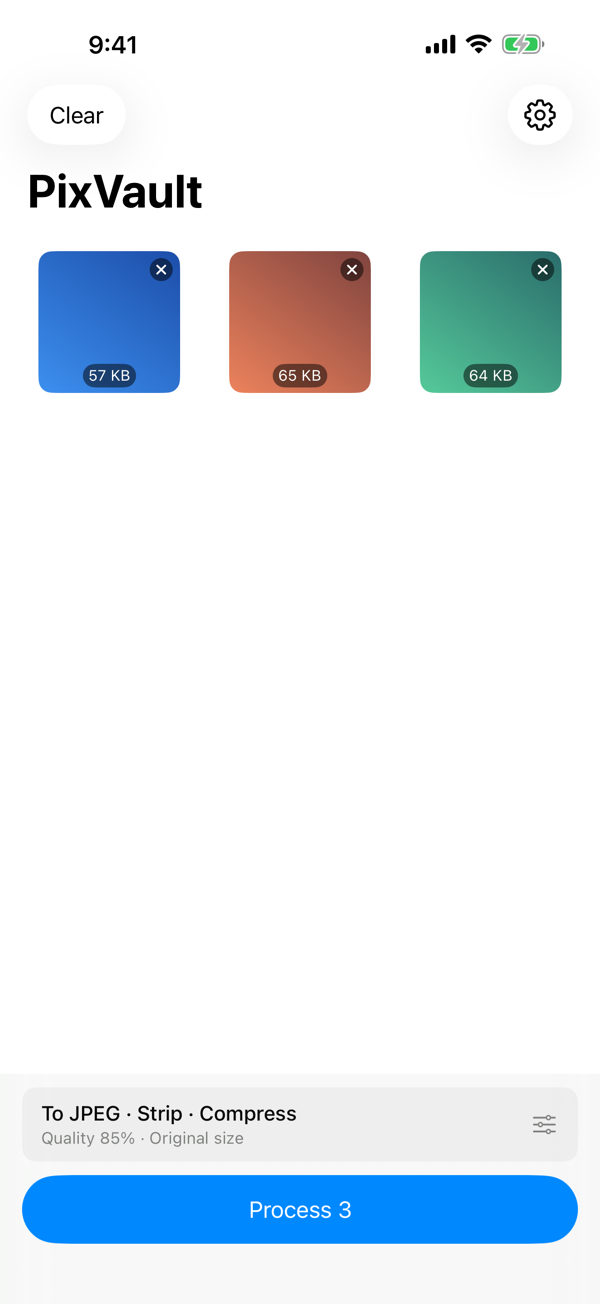
Batch-convert HEIC, JPEG, PNG, WebP, and TIFF when the format is supported by your device. Pick once, process the whole batch.
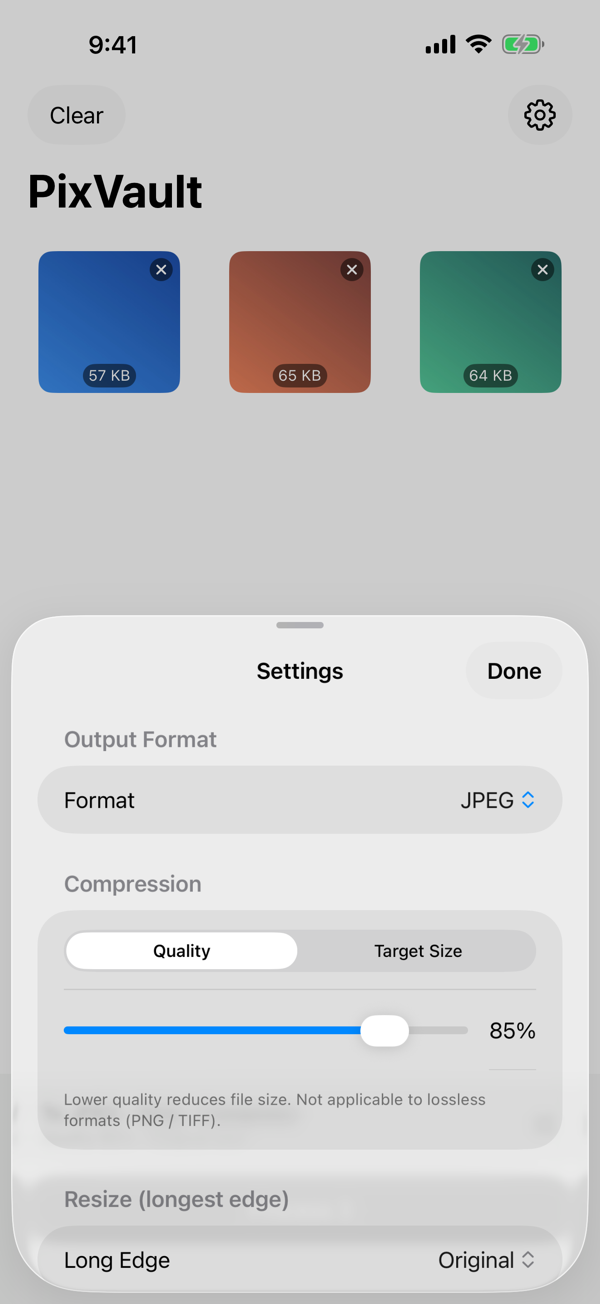
Choose a quality level, or let PixVault find the best quality that fits under a target like 100 KB, 500 KB, or 1 MB.
Downsize to 4096, 2048, 1280, 1024, or 640 pixels along the longest edge, while keeping the aspect ratio intact.
Run "Remove Privacy Info", "Convert Image", and "Compress Image" actions from Shortcuts or Siri, or strip metadata directly from any app's share sheet.
Right-click images in Finder and choose "Remove Privacy Info" to clean them in place. Drag and drop are supported.
No account, no analytics, no third-party SDKs. The app does not request the network entitlement. App Privacy: Data Not Collected.
Buy the unlock once and use unlimited batch processing on iPhone, iPad, and Mac with the same Apple Account. Family Sharing is supported.
Screens
Pricing
PixVault is free to download. The free plan processes up to 3 images per batch so you can verify the result on small jobs first.
A single one-time in-app purchase removes the batch limit on iPhone, iPad, and Mac. There is no subscription, no recurring fee, and no ads. The official local price is the amount shown in the App Store.
FAQ
PixVault can remove common EXIF and GPS fields, camera and lens information, original timestamps, and other metadata by creating a newly encoded output file without copying source metadata.
No. PixVault processes photos on the device. It has no account system, no analytics, no tracking, and no normal-use network requirement.
PixVault supports HEIC, JPEG, PNG, WebP, and TIFF when the selected format is supported by the operating system and device.
Privacy
No sign-up is required. Selected photos and processed files are kept on your device. The app does not include analytics, advertising SDKs, or cross-app tracking.
Image metadata removal is powerful, but always review your exported files before sharing or uploading, especially when sensitive location or device information is involved.