Before they arrive
Check the day’s appointments and revisit their last set. Optional reminders appear on your device 30 minutes before an appointment.
 SetMuse
FOR THE NAIL TECH WHO REMEMBERS THE DETAILS
Their favorite shade. That soft almond shape. The little change for next time. Keep it all in a client book made for your nail studio.
For iPhone & iPad · iOS 17 or later
Step inside the studio
A good set is worth remembering.
01 / THE CLIENT CARD
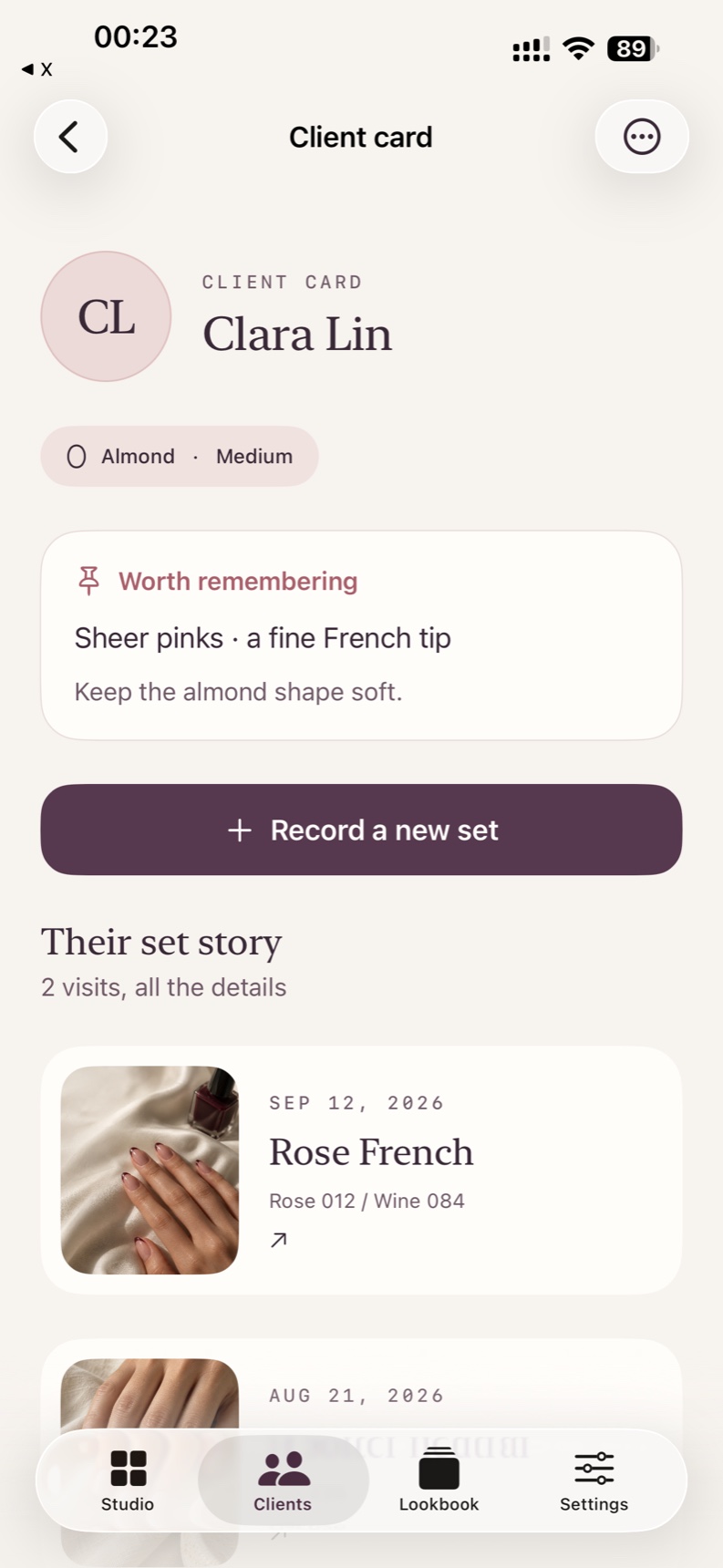
A photo says a lot. A client card remembers the rest: shape, length, preferences and every saved visit. Open it before they sit down.
02 / THE COLOR RECIPE
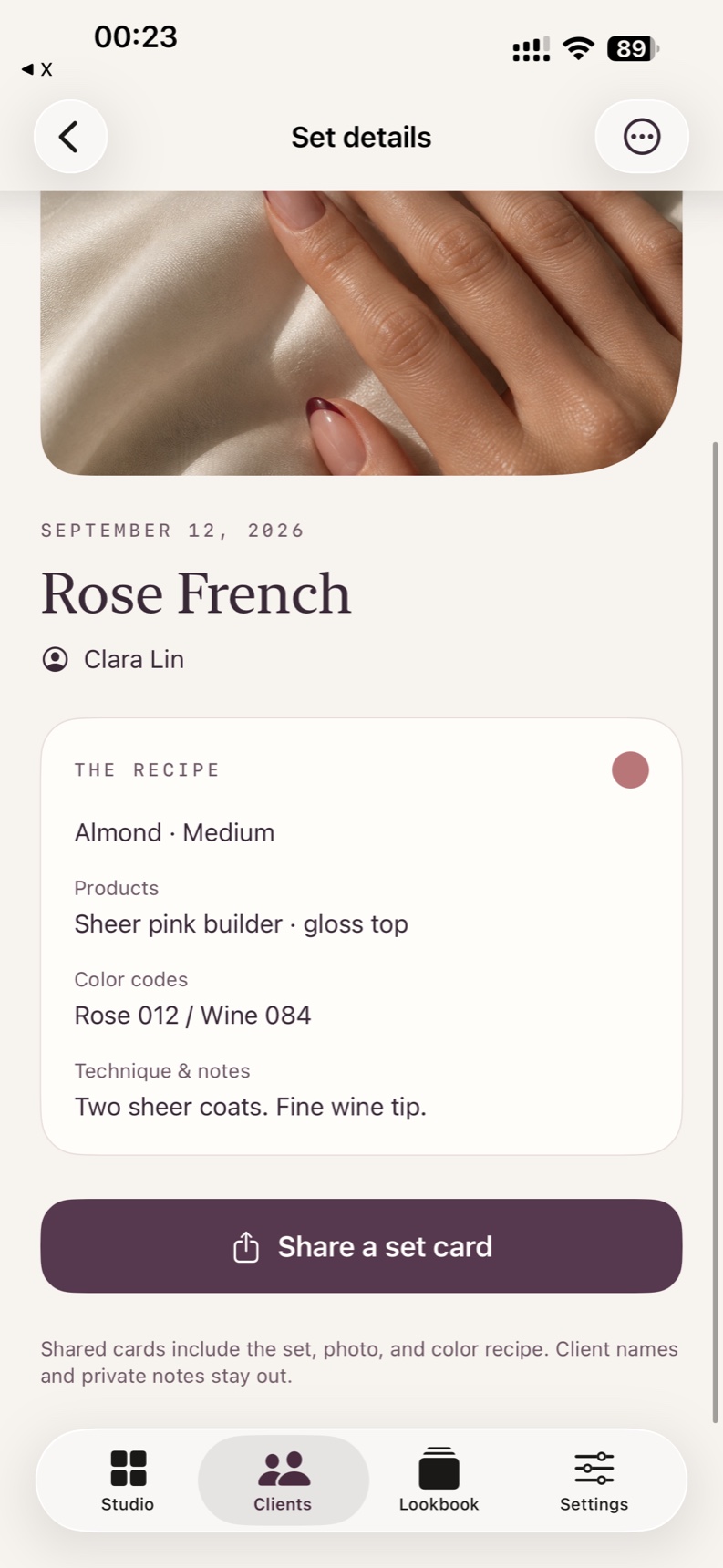
Keep the product, color code and technique beside the set. A sheer base, two thin coats, a fine wine tip — the details are there when you need them.
Single-set PDF cards share the photo and color recipe without client names or private notes.
03 / A DAY IN YOUR STUDIO
Check the day’s appointments and revisit their last set. Optional reminders appear on your device 30 minutes before an appointment.
Choose a photo and add the color recipe while the details are fresh.
Browse your lookbook. Export a full backup to Files so you have a copy.
Browse saved sets by photo. Search a color code or product. Filter by nail shape.


04 / OFFLINE BY DESIGN
Client records live on your device. No account, no ads. Only anonymous usage statistics that never include client data. You choose when to export, share or back up.
There is no automatic cloud sync. To move records between devices, export a backup and restore it on the other device.
New users can keep up to 5 client cards for free (existing users retain their 15-client allowance), with visit photos, color recipes, appointments, single-set PDF cards and full backup/restore.
Pro adds the last set's recipe beside each appointment with one-tap reuse, the full return-visit list, private appointment reminders on your device, service templates, unlimited client cards, and multi-set lookbook PDF export with up to 60 matching sets. Choose a monthly or yearly Apple subscription; prices and any free trial are shown in the app before you subscribe. Your clients, sets, photos, history and backups stay accessible if Pro ends.
No. Reminders are private local notifications for you on this device. SetMuse does not send texts, emails or appointment confirmations to clients.
Your client records, photos, appointments and exports work offline. An internet connection to Apple is needed for purchases and restoring subscriptions.
Yes. The app is designed for both. Records do not sync automatically; use a file backup to transfer them. Restoring replaces the destination studio rather than merging it.
A calmer place to keep the details.
Get support